How to Check If Your Resume Matches a Job Description (Free, 2026)
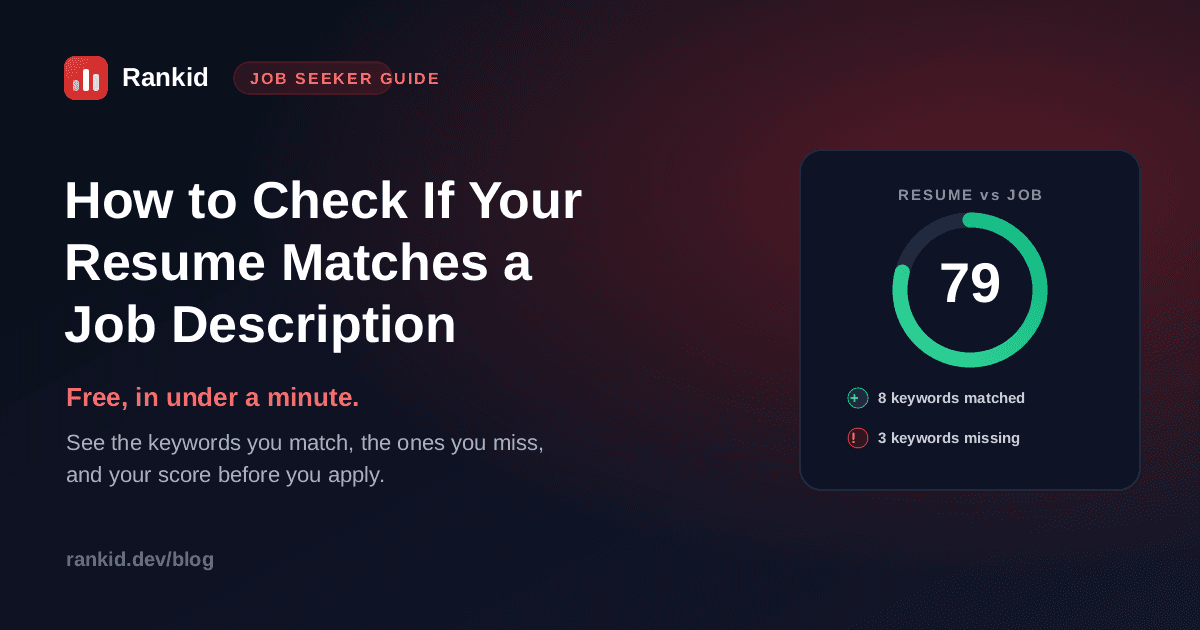
You found a job you actually want. Before you upload your resume and hit apply, there is one check worth sixty seconds: how well does your resume actually match this job description? Not how good your resume is in general, but how closely it lines up with what this specific posting is asking for. That is the exact comparison an applicant tracking system and a recruiter make, and you can run it on yourself first.
Quick answer
Why checking the match matters before you apply
Most resumes are never read by a person until they have already cleared a software filter. The applicant tracking system scores and ranks every resume by how well it matches the job requirements, and recruiters then search that pile using the same keywords pulled straight from the posting. If your resume does not visibly cover what the role asks for, it gets sorted to the bottom long before anyone reads your accomplishments.
Checking your resume against the job description before you apply simply mirrors that process. You see what the machine and the recruiter will see, while you still have time to fix it. It is the difference between guessing and knowing, and it is a big part of why qualified resumes get rejected.
A match is job-specific, not a grade on your resume
How to check if your resume matches a job description
The fastest, most accurate way is to let a checker do the comparison the same way an ATS does. Here is the full process, start to finish, in under a minute.
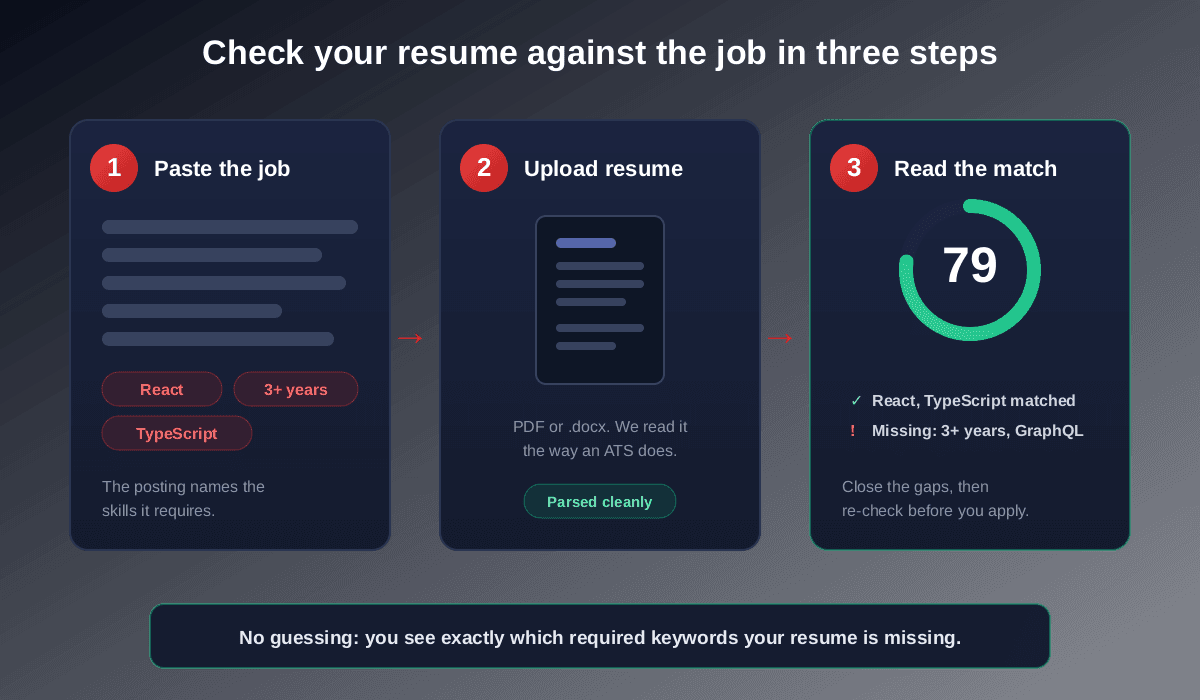
Paste the full job description
Copy the entire posting, not just the bullet list, into the checker. The skills, tools, job title, and years of experience it mentions are the requirements you will be measured against. The more complete the posting, the more accurate the match.
Upload your resume in the format you will actually send
Upload the same PDF or .docx file you plan to submit. A good checker reads it the way an applicant tracking system does, so if your layout is scrambling the text, you will catch that here too. If skills you clearly listed are not being detected, your format may be the problem, which we cover in how to make an ATS-friendly resume.
Read your match score and the missing keywords
You get a 0 to 100 match score for that specific job, a list of the skills and keywords you already match, and the required ones that are missing or not clearly evidenced. This missing list is the most valuable part: it is your exact to-do list, with no guessing.
Close the genuine gaps, then re-check
For every missing keyword that is actually true of you, add it using the posting's exact wording and back it with evidence in your experience. Then run the check again and watch the score climb. Apply once you have cleared the bar, not while you are hoping you have.
Check your resume against any job description, free
Paste the job posting and upload your resume into Rankid. You'll get a 0 to 100 match score for that exact job, the skills and keywords you've matched, and the required ones you're missing, so you can fix the gaps before you apply. Your first check is free, no signup needed.
Check your resume match freeWhat the checker actually compares
When it lines your resume up against the job description, a match checker is looking at four things, the same four a recruiter scans for:
- Hard skills and tools. The specific technologies, software, methods, and certifications named in the posting, matched against what appears on your resume.
- Keywords and phrasing.Whether you use the same wording the posting does. A resume that says “managed budgets” can miss a requirement written as “financial planning,” even when you have done exactly that.
- Job title and seniority. Whether your titles and level line up with the role, since a senior posting expects senior signals.
- Experience and years. Whether your background shows the kind and amount of experience the role requires, in a relevant field.
The score that comes out the other side is a single number summarizing that fit. If you want the full breakdown of what counts as a good number, read what a good resume match score is.
Can you check the match manually?
You can, and it is a useful habit even if you also use a tool. The manual version: print the job description, highlight every hard skill, tool, and repeated phrase, then go line by line through your resume and tick off each one you genuinely cover. The terms left un-ticked are your gaps.
The catch is that the manual method misses what an ATS sees. It will not tell you that your two-column layout scrambled half your skills, or that the posting's phrasing differs just enough from yours to lose the keyword credit. A checker catches both, which is why pairing a quick manual read with an automated check works best. The keyword side of this is covered in depth in our resume keywords guide.
Match what is real, not everything
How to raise a low match fast
A low match is not a verdict, it is a checklist. Most low scores climb into the 80s with a few honest, targeted edits:
- Mirror the exact wording. If you have the skill but phrased it differently, change your wording to match the posting and you instantly recover lost credit.
- Move key terms to the top third. A skill summary near the top, plus the same terms proven in your experience, reads as a stronger match to software and humans.
- Fix the format. Single column, standard headings, real text. If a checker cannot find skills you listed, neither can the ATS.
- Tailor, do not rewrite. You are adjusting emphasis for this posting, not starting over. The full method is in how to tailor your resume to a job description.
What recruiters see on the other side
It helps to remember that this is not a gimmick invented by resume tools. It is a re-creation of the real screen. Recruiters and hiring software use the job description as the answer key, then rank and filter applicants by how well each resume matches it. This is the engine behind AI resume screening, and it runs on nearly every application you submit. Checking your own match first is simply seeing your application the way the people deciding on it will.
Key takeaways
- To check your match, paste the full job description and upload your resume into a free checker like Rankid.
- You get a 0 to 100 match score, the keywords you match, and the required ones you are missing.
- Aim for 80 percent or higher on each specific job, using genuine skills in the posting's exact wording.
- The same resume scores differently on every posting, so check and tailor for each application.
- The match check mirrors exactly what an ATS and a recruiter do, so fixing it before you apply gets you seen.
Bottom line: never apply blind. Take sixty seconds to check how your resume matches the job description, fix the gaps the report hands you, and apply knowing you clear the bar instead of hoping you do. Run your next application through Rankid's free resume checker and turn a guess into a match.
Frequently asked questions
How do I check if my resume matches a job description?
Paste the full job description and upload your resume into a free match checker like Rankid. It compares the skills, keywords, job title, and experience the posting requires against what appears on your resume, then gives you a 0 to 100 match score, the keywords you match, and the required ones you are missing. The whole check takes under a minute and your first one is free.
Is there a free way to compare my resume to a job description?
Yes. Rankid lets you compare your resume to a job description for free, with no signup required for your first check. You upload your resume, paste the job posting, and instantly see your match score plus the exact keywords and skills you are missing for that specific role.
What does it mean when my resume does not match the job description?
It means the skills, keywords, or experience the posting treats as requirements do not clearly appear on your resume, so both the applicant tracking system and the recruiter see a weak fit. Usually the gap is fixable: you either have the skill but used different wording, or it is buried too low on the page. A checker shows you precisely which terms are missing so you can add the genuine ones before applying.
How closely should my resume match the job description?
Aim for a match score of around 75 to 85 percent against each specific job, with 80 percent and above considered a strong match. You do not need a perfect 100, and stuffing in keywords you cannot back up will backfire in the interview. The goal is a genuine, evidenced match on the skills and keywords the role actually requires.
Should I check my resume against every job I apply to?
Yes. The same resume scores differently on every posting because each job names different required skills and keywords. Checking and lightly tailoring your resume for each serious application is the single highest-leverage thing you can do to get past the automated screen and in front of a recruiter.
Do recruiters really compare resumes to the job description?
Yes. Applicant tracking systems rank and filter resumes by how well they match the job requirements, and recruiters then search those resumes by the same keywords from the posting. Checking your match before you apply mirrors exactly what happens on the other side of the screen.